Scary Booth6.1
Publisher Description
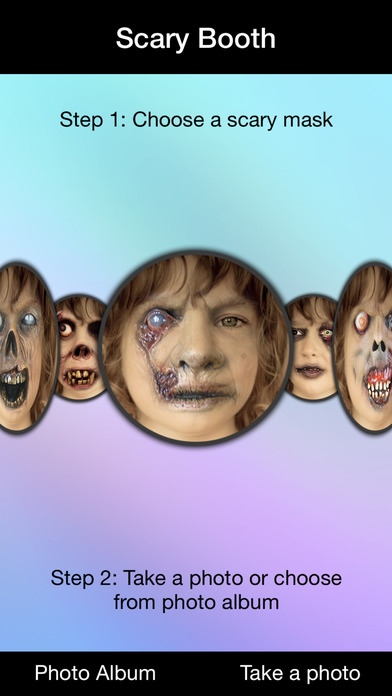
All NEW Design, NEW Scary Faces and more. This is Scary Booth version 6.1 w/new Cover and Editor enabled.
PLEASE DON'T DOWNLOAD IF YOU ARE A FAINT-HEARTED.
More than 100,000 downloads. One of the best photo booth application on the App Store. Great for Halloween, photo editing, adding frames, stickers, meme creator and of course SCARY FACES.
FEATURES:
- iOS 7 Support with All new design
- Auto-save taken photos with camera
- Camera guides for face detection
- Photo editor with hundreds of options and effects
- Improved photo sharing on social networks
- High-Quality photo saving
- iPad support
- And more fun. Check this app today.
HOW TO USE:
1. Take or Choose a photo
2. Select "Start" and adjust eyes and mouth
3. Select "Done" when eyes and mouth are adjusted
4. Select "Show" to see the scary faces
5. Use Editor option for a better quality and photo experience
6. Select "Save" to share your photo
WARNING: This app contains frequent use of horror images that may not be suitable for children or the faint-hearted.
Requires iOS 6.0 or later. Compatible with iPhone, iPad, and iPod touch.
About Scary Booth
The company that develops Scary Booth is E-Rock Investments, LLC:. The latest version released by its developer is 6.1.
To install Scary Booth on your iOS device, just click the green Continue To App button above to start the installation process. The app is listed on our website since 2012-10-11 and was downloaded 8 times. We have already checked if the download link is safe, however for your own protection we recommend that you scan the downloaded app with your antivirus. Your antivirus may detect the Scary Booth as malware if the download link is broken.
How to install Scary Booth on your iOS device:
- Click on the Continue To App button on our website. This will redirect you to the App Store.
- Once the Scary Booth is shown in the iTunes listing of your iOS device, you can start its download and installation. Tap on the GET button to the right of the app to start downloading it.
- If you are not logged-in the iOS appstore app, you'll be prompted for your your Apple ID and/or password.
- After Scary Booth is downloaded, you'll see an INSTALL button to the right. Tap on it to start the actual installation of the iOS app.
- Once installation is finished you can tap on the OPEN button to start it. Its icon will also be added to your device home screen.
